


.svg)






Patient Portal Support
Need help using the Lumus Imaging Patient Portal?
The Patient Portal lets you securely view your radiology images and reports online and share them with your healthcare providers when needed.
Whether you're setting up your account, signing in, viewing your reports or sharing your imaging results, you'll find answers to frequently asked questions below. You can access the portal anytime from a compatible computer, tablet or mobile device.
Setting up your account
After your appointment, you may receive an SMS inviting you to register for the Patient Portal if you don't already have an account. Registration is optional and free.
Frequently asked questions
How do I access the patient portal?
You can access the patient portal here: Patient Portal.
You don't need to download an app. The portal works on your mobile phone, tablet or desktop computer.
You may also wish to save the patient portal page in your favourites folder (in your browser) for easy access.
How do I set up my account?
Once you are in the patient portal, you will need to choose a username and password.
Your username must be at least eight characters long, use lowercase letters only, and must not contain spaces or special characters.
What if I can’t remember my username?
Your username is the login name you created when you first registered for the Patient Portal.
If you've forgotten it, select "Forgot my password" on the login page. The email we send will include your username in bold after "Hello".
If you still remember your password, you don't need to reset it.
What if I can’t remember my password?
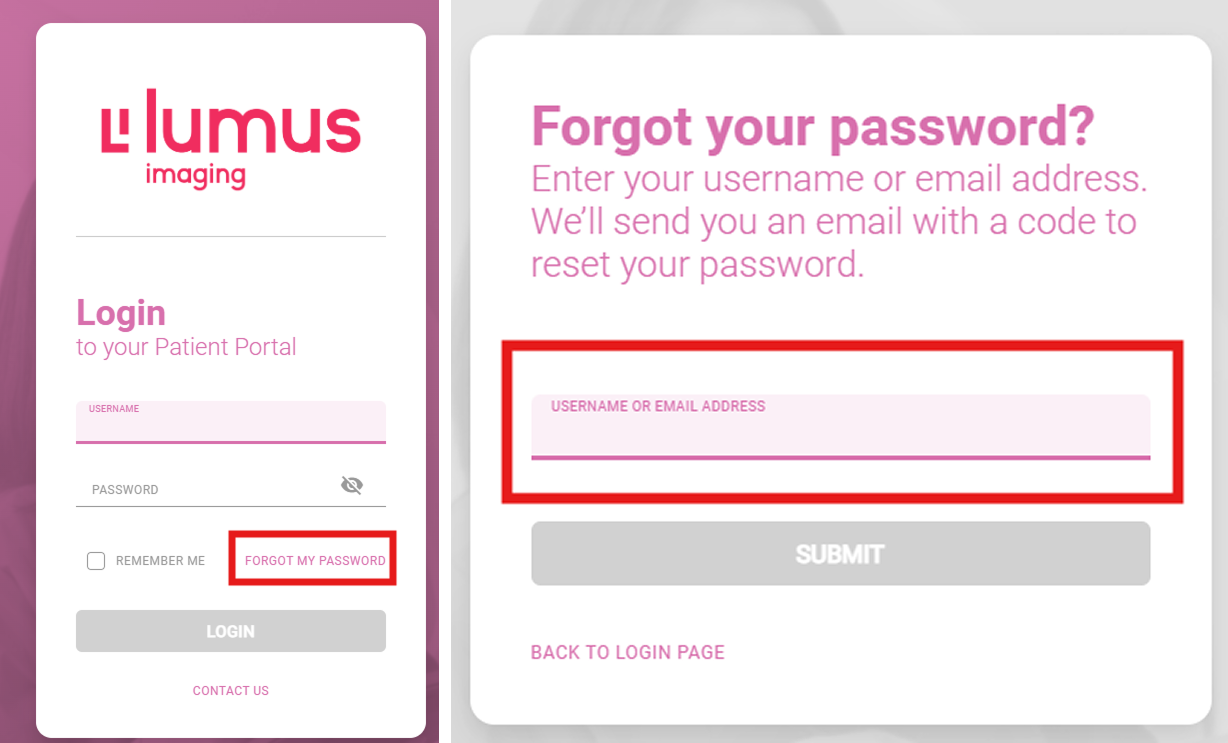
To reset your Patient Portal password, select “Forgot my password” on the login page.
Enter the email address you used to create your account, and an email will be sent to that address with a unique verification code.
You can then use this code to create a new password.
Remove any existing text from the box before re-entering your unique code.
If you do not receive the email, please check your junk or spam folder.
How do I access my latest report?
Lumus Imaging follows the same timeframe for accessing electronic records as My Health Record.
This means your radiology report will be available to view 5 days after it has been validated by our radiologist.
This gives you time to discuss your results with your referring doctor before viewing your report in the Patient Portal.
For privacy and security reasons, reports can only be accessed using one of the following secure methods:
- Patient Portal – Access your report electronically through the secure Lumus Imaging Patient Portal.
- Your referring doctor – Contact your referring doctor, who can provide you with a copy of your report as part of a consultation.
- In-person collection – Collect your report from the Lumus Imaging site where you had your examination. You will need to present valid photo identification.
We are unable to email reports directly to patients due to our legal and privacy obligations to protect personal health information.
I’m currently outside Australia and can’t access the Patient Portal
The Patient Portal is currently only available within Australia.
How do I share my results with another healthcare provider?
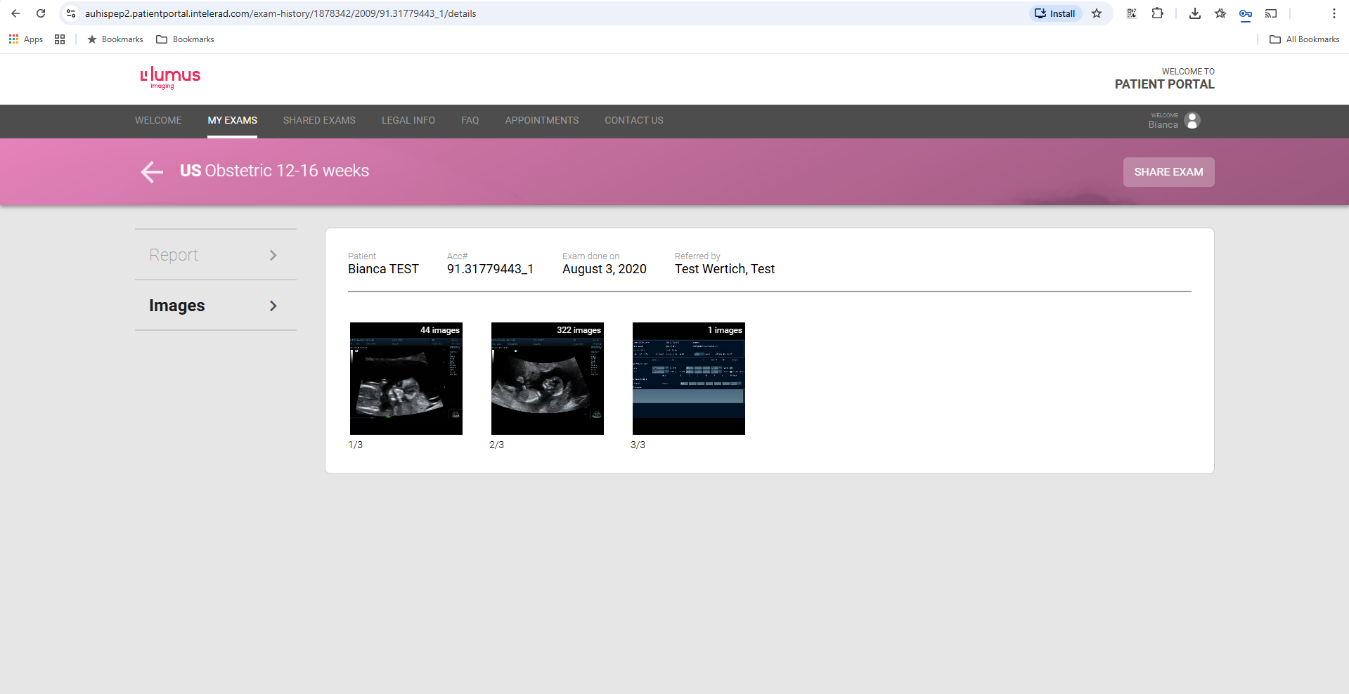
Open the relevant examination and choose “Share Exam”.
A pop-up box will appear where you can enter the details of the healthcare provider you'd like to share your examination images and report with.
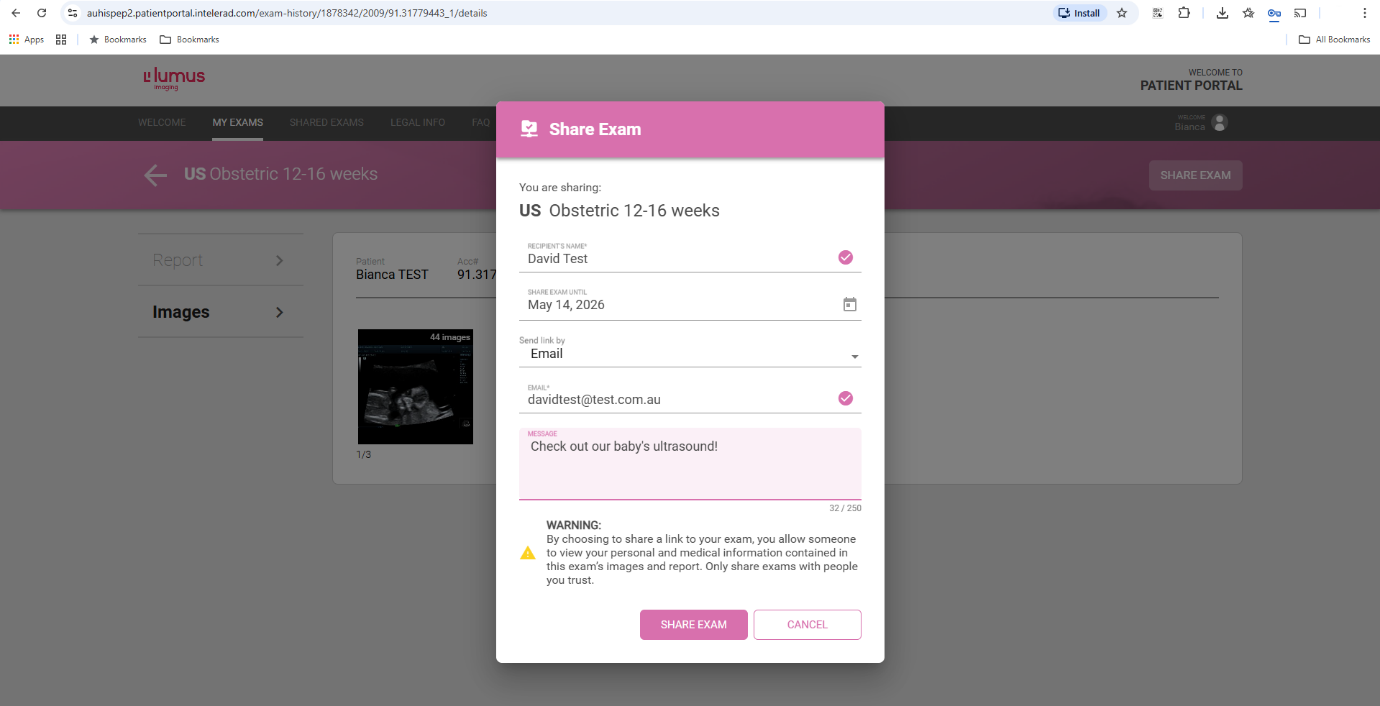
Your chosen healthcare provider will receive an email containing a link and verification code to view the images and report.
They will only be able to access the specific examination you have shared with them.
For patients using a mobile or tablet:
Click on the symbol circled in the image below to share your examination.
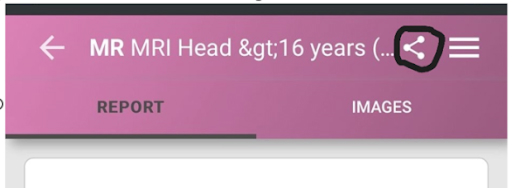
A pop-up box will appear where you can enter the details of the healthcare provider you'd like to share your examination images and report with.
Your chosen healthcare provider will receive an email containing a link and verification code to view the images and report.
They will only be able to access the specific examination you have shared with them.
Need more help?
If you need further assistance, contact our dedicated Patient Portal Support team.
Monday to Friday: 8:00 am – 5:00 pm (AEST)
Phone: 1300 510 818